
Public vs Private Workspace: Which One to Use for File Sharing
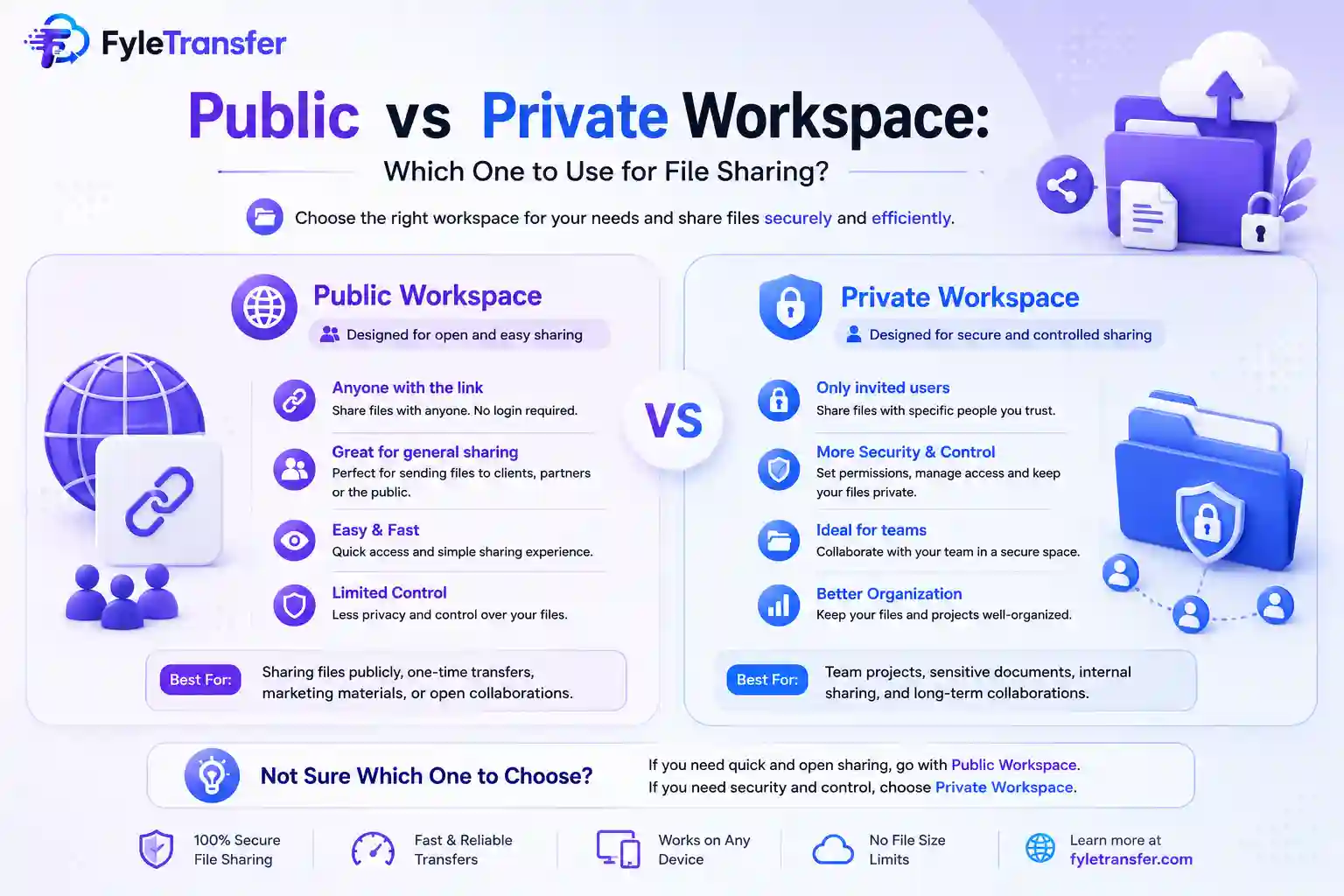
Usually, every file does not need the same level of access. Sometimes you want everyone on the same network to see and use a shared workspace. At times, the files are meant only for a few people. This is where public and private workspaces become useful. Both options make the local file sharing process easier, but they solve slightly different problems. You can use private workspace file sharing if you want some control over who enters the workspace. A public workspace, on the other hand, is better when easy access matters more. Which one you choose entirely depends mostly on what you are sharing and who needs it. A public workspace is the simpler option, where people will connect to the local network sharing. They will be using the workspace without going through the same username and password setup required by a private workspace. This type of setup is useful when everyone around you already belongs to the same trusted environment. Just imagine you are in a small office where five of your team members are connected to the same Wi-Fi. Someone wants to quickly share presentation files, reference images, or notes with the entire team. Creating a public workspace can make that easier. This kind of public workspace file sharing works well when speed and convenience are the priority. A public workspace is needed in the following situations. A small team meeting An office brainstorming session A classroom activity A local event A temporary project discussion The people already share the same network, and the files may not contain anything sensitive. But remember, you have to be a little careful when you are on a network with people you do not know; sharing something publicly is a different matter. FyleTransfer currently allows a private local workspace to be created using a workspace ID and password. Here, people need those details before accessing the workspace, and this extra step can be useful when the files are meant only for certain people. Imagine three employees working on a client project and the whole office is connected to the same Wi-Fi, but only those three people need the files. A private workspace makes more sense here. The same applies to financial documents, internal drafts, project material, or anything you would rather not make openly available across the local network. This is where private workspace file sharing gives you a little more control. Instead of asking which workspace is better overall, look at what you are about to share. A public workspace may be enough for: General reference files. Event photos. Training material. Public documents. Files that everyone on the local network can safely access. A private workspace may be better for: Client work. Internal business documents. Unreleased designs. Confidential project information. If you would feel uncomfortable with another person on the network opening the file, choose a private workspace. Before you plan to share a file, think about the users who are accessing it. Suppose you are working with four colleagues in a closed office network. Everyone knows each other. A public local network workspace might be perfectly fine for everyday file exchanges. Now imagine the same laptop is connected to a shared network in a larger building, and you may not know every device connected to that network. In that case, using a private workspace is the safer choice. People sometimes avoid private sharing because they assume it creates too much extra work. But it is not like that. Just create the workspace, set the username and password for secure access, and share those details to the people who need access. For a quick exchange of harmless files, that extra step may not be necessary. But for important files, it often is. FyleTransfer supports both public and private workspaces for local network sharing. You can create a public workspace or a private workspace protected by username and password. FyleTransfer also supports same-network sharing over Wi-Fi or a hotspot, along with real-time syncing across connected devices. You can use a public workspace when you need quick access for a group, then use a private one for files that need tighter control. It is easy to use the same sharing method every time. Remember, if everyone on the network can safely access the material, a public workspace keeps things simple. But if only a particular group of people has to access it, use a private workspace. Because private workspace file sharing gives you controlled access. Choose the one that matches the file, the people, and the network you are using.What Is a Public Workspace?
When Does a Public Workspace Make Sense?
What Is a Private Workspace?
Public or Private? Start With the File
Think About the People Too
Private Does Not Mean Complicated
How FyleTransfer Handles Both Options