
IP-Based Device Discovery Explained: How Local File Sharing Works
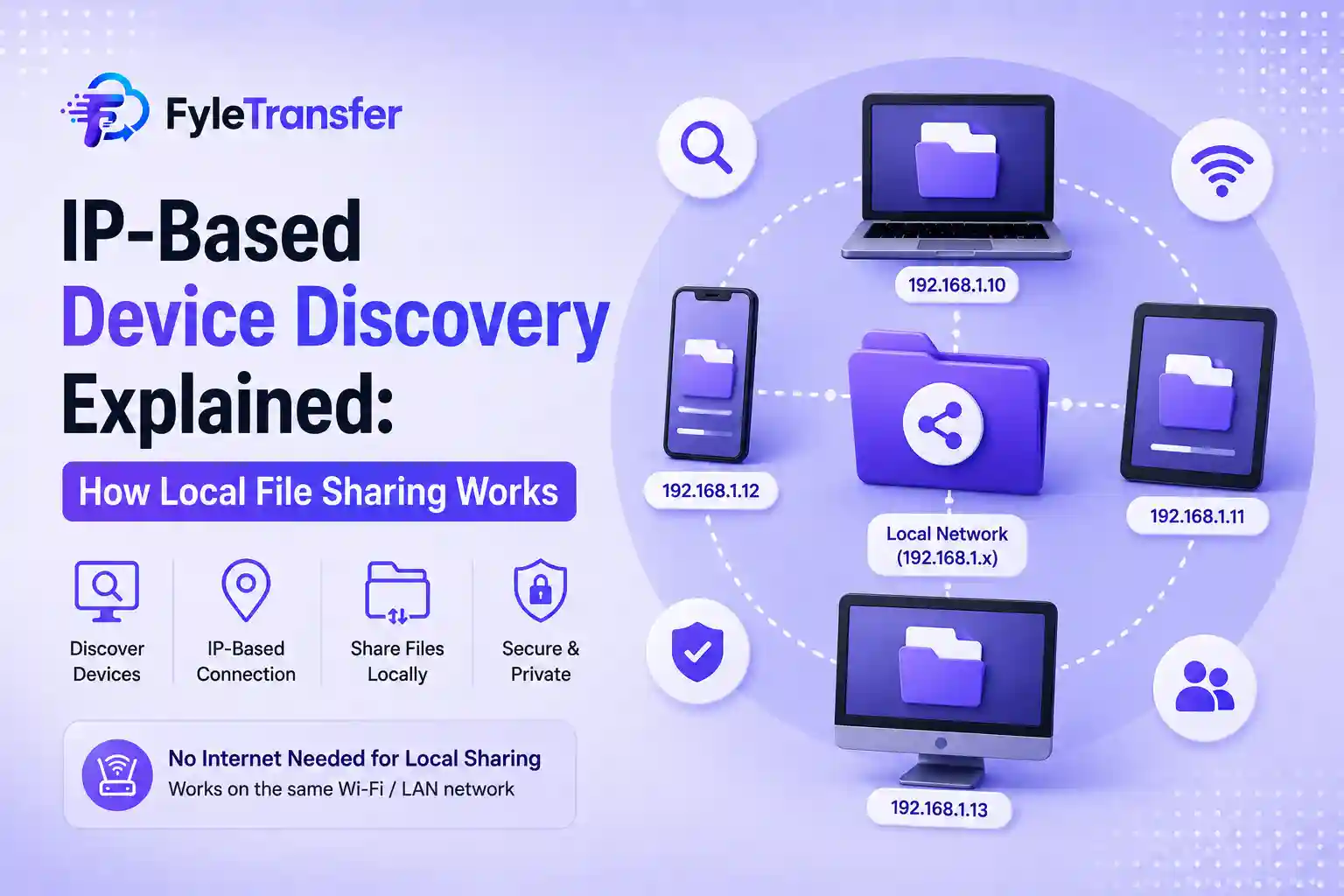
You have a file on your laptop, and you want it on another laptop or phone sitting right next to you. One option is to upload it to the internet, create a link, send the link, and download it again. But when both devices are already connected to the same Wi-Fi network, you can easily handle the transfer. This is where device discovery local network technology comes in. It helps devices on the same network identify each other so files or other data can be shared locally. Every device connected to a local network needs a way to communicate with other devices. Your laptop, phone, tablet, smart TV, and printer may all be connected to the same router. Each device connected to that router will get an IP address on that network. Device discovery uses network information like this to find devices that are available nearby. It is a tool that will detect or connect devices linked on the same network. That makes local network file sharing much easier for normal users. When you keep devices physically close to each other they will not communicate locally. These devices need to be connected to the same network. For example, your laptop may be using the office Wi-Fi while your phone is using mobile data. Even though your phone and your laptop are placed on the same desk, they are not really on the same local network. So, what you have to do is connect the phone to the same Wi-Fi. So that both devices are part of the same network environment. A mobile hotspot can work in a similar way. One device creates the hotspot, and the other device connects to it. This is why many local sharing tools ask you to make sure both devices are connected to the same Wi-Fi or hotspot. An IP address helps identify a device inside a network. Suppose your laptop has one local IP address and your phone has another. Your local sharing system can use those IP addresses to identify where data should go. The software handles most of the process in the background. Also, remember that the local IP addresses may change when you disconnect from Wi-Fi and reconnect later. Because the Wi-Fi router may assign a different IP address to the same device this time. This is normal behavior for this kind of local access. The most important reason is convenience. When two of your friends are sitting in the same office and you have a large project folder. Your friend needs it immediately, and in this situation, using an online service may feel unnecessary. Local sharing can be useful in situations like: Moving files between your own laptop and another device Sharing documents with someone in the same office Sending photos between nearby devices Moving project files within a team Transferring data while using a shared hotspot It is especially handy when you frequently share files between devices on the same WiFi. Online file sharing is useful when the recipient is located in some other place. Here, you will upload a file, create a link, and the recipient can access it remotely. Local sharing is useful when the devices are already connected to the same network. Let me give an example; If your client is in another city, an online sharing link makes sense. If your colleague is sitting three desks away on the same Wi-Fi, local sharing may be more convenient. FyleTransfer includes a local sharing option for devices connected to the same Wi-Fi or hotspot. We support local workspaces where users can share files, text, and other data with people on the local network. Public and private workspace options are available. FyleTransfer also supports real-time syncing across connected local devices. So, for example, a small team in the same office could use the local network option for nearby transfers. And at the same time, they can continue to use normal online file links when sharing with someone outside the office. Terms like IP address and device discovery can make local sharing sound more complicated than it really is. Most users do not need to configure a network manually. Simply connect the devices to the same Wi-Fi or hotspot. Use the local sharing option and let the system handle the device connection. That is basically what device discovery and local network sharing are trying to achieve. It uses information already available on your local network to make nearby file sharing easier.What Does Device Discovery Mean?
Why Does the Same Wi-Fi Matter in This Setup?
Where Does the IP Address Come In?
Why Share Files Locally?
Local Sharing and Online Sharing Are Different
How Does FyleTransfer Handle Local Sharing?
You Don't Need to Understand Networking to Use It